Short answer
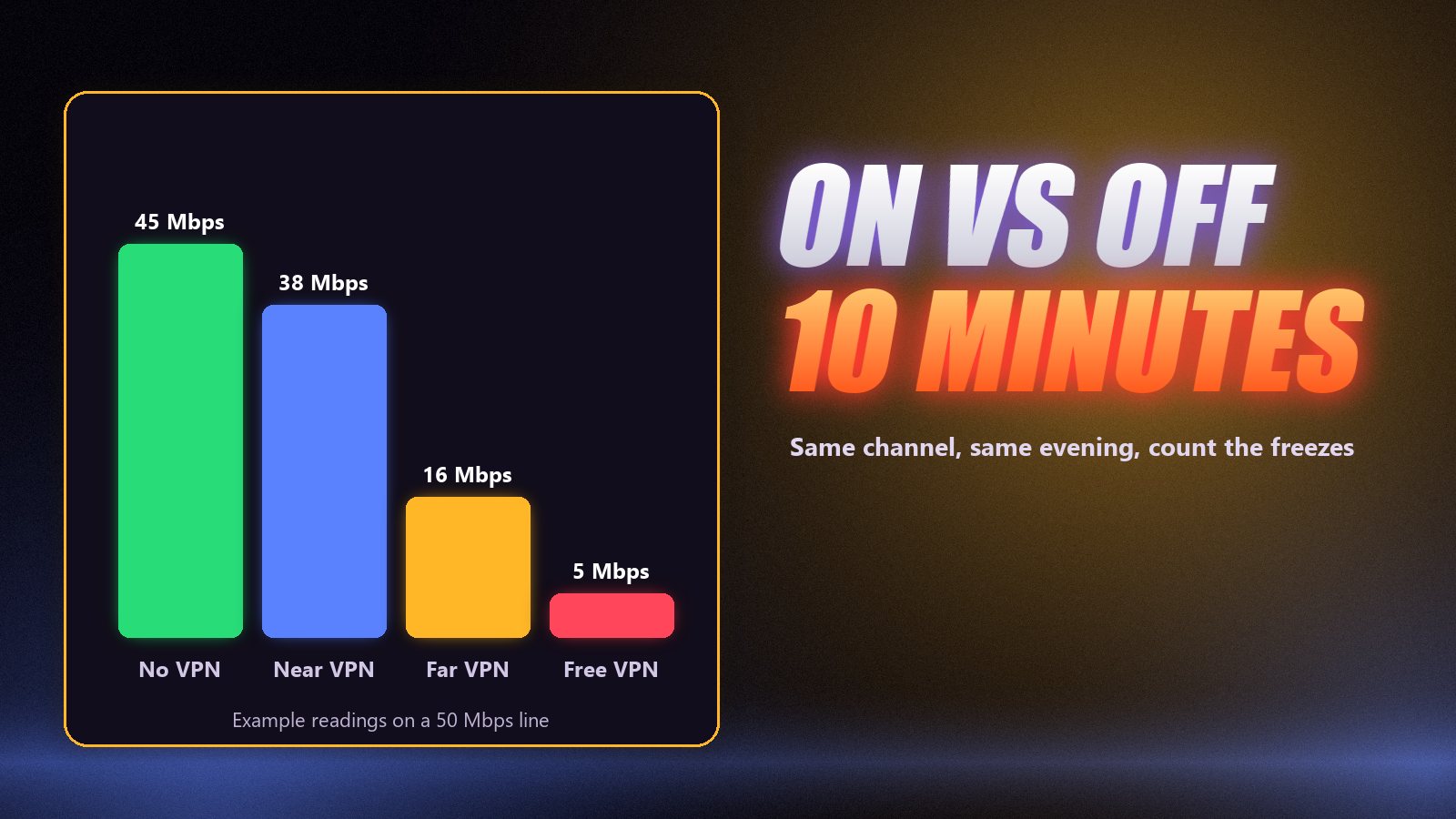
You do not need a VPN to watch IPTV, but one can help in three situations: your internet provider slows video in the evening, you are on hotel or public Wi-Fi, or you want privacy from your provider. If your problem is weak Wi-Fi or a slow line, a VPN makes things worse. The way to know is a ten-minute test on the same channel, the same evening, with the VPN on and off.
Few questions in IPTV get louder, less useful answers than this one. VPN companies say you always need one; people who have never had a problem say you never do. Both are describing their own connection. The real answer depends on what is slowing your stream down, and that is something you can find out in one evening without spending anything.
What a VPN Changes
Normally your TV asks the IPTV server for a channel and the stream comes back through your internet provider, which can see the destination and the volume of video. With a VPN, everything is encrypted and routed through the VPN’s server first. Your provider sees only scrambled traffic to one address.
Two things follow. Your provider can no longer pick out and slow your IPTV traffic. And every packet now travels a slightly longer road with encryption at each end, which costs some speed. Whether a VPN helps depends on which of those two effects is bigger on your connection.
When a VPN Helps
| Situation | The giveaway | Why a VPN helps |
|---|---|---|
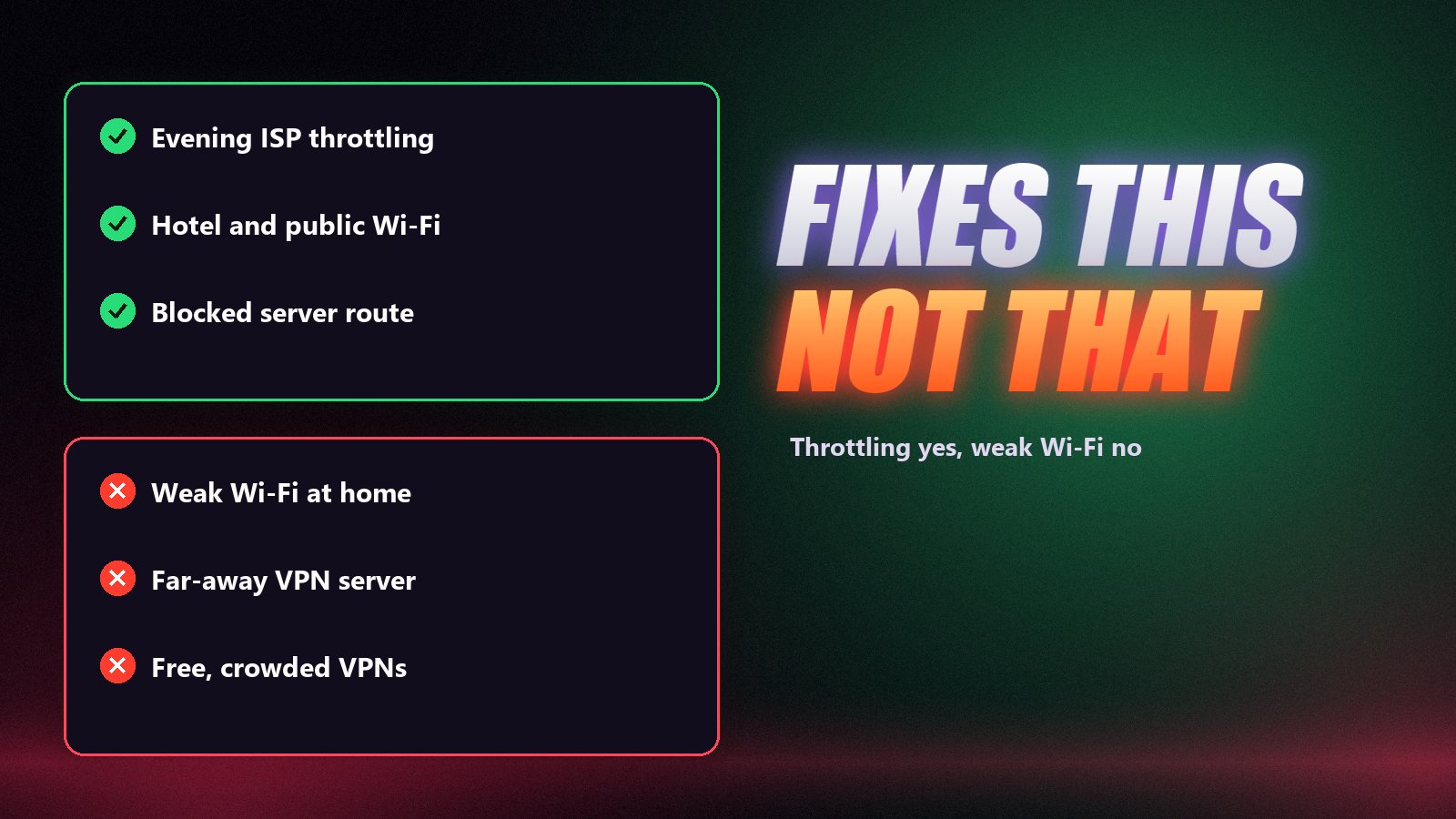
| Evening throttling | Smooth by day, stutter from 7 to 11 p.m., normal speed test | Provider can no longer single out video |
| Blocked server | Fails at home, works on mobile data | Traffic takes a different route |
| Hotel or public Wi-Fi | Streaming ports blocked, shared network | Encrypted tunnel gets through |
| Privacy | You simply prefer it | Provider sees no destinations |
When a VPN Makes It Worse
| Situation | What happens |
|---|---|
| Already slow line | 10–20% overhead tips HD or 4K into buffering |
| Distant VPN server | More delay, more congested links, more stalls |
| Free VPN | Crowded servers, data caps, speeds too low for live 4K |
| Older Firestick or budget TV | Encryption plus 4K decoding overloads the processor |
| Weak Wi-Fi | The problem is inside your home; a VPN cannot fix it |
The Ten-Minute Test
- Pick the busiest time you watch, usually 8 to 10 p.m., and a channel that has given you trouble.
- Watch ten minutes without the VPN. Count the freezes. Run a speed test on the TV or stick itself.
- Connect the VPN to a nearby server. Watch the same channel for ten minutes. Count again, test again.
- Keep the VPN for IPTV only if the second run is clearly smoother. If not, switch it off and check the buffering guide or IPTV not working instead.
Setting It Up on Your Device
| Device | How | Tip |
|---|---|---|
| Firestick / Fire TV | VPN app from the Amazon Appstore | Nearby server; see IPTV on Firestick |
| Android TV box | VPN app from Google Play | Turn on split tunnelling for the IPTV app only |
| Samsung / LG TV | Set the VPN up on the router | One setup covers every device |
| Laptop or PC | VPN desktop app | See IPTV on PC |
| Phone or tablet | VPN app from the store | Useful on hotel Wi-Fi |
Whatever the device, use a paid VPN with servers in or near your country and choose its fastest protocol, often WireGuard. IPPlayTV works with or without a VPN on every plan.
A VPN Does Not Change the Rules
A VPN changes the route your data takes. It does not change what is legal where you live, and it does not turn an unlawful service into a lawful one. Use services and content you are entitled to access in your country.
Frequently Asked Questions
Do I need a VPN for IPTV?
Not by default. Plenty of people watch IPTV without one. A VPN is useful when your internet provider slows or blocks streams, on hotel or public Wi-Fi, or when you prefer your provider not to see what you stream.
Will a VPN stop IPTV buffering?
Only if the buffering comes from your internet provider throttling video, which usually shows up as smooth daytime viewing and stutter every evening. If the cause is weak Wi-Fi or a slow line, a VPN adds overhead and makes it worse.
Does a VPN slow down IPTV?
A little. A good paid VPN on a nearby server typically costs 10 to 20 percent of your speed. A distant server or a free VPN can cut it far more, enough to make Full HD or 4K stutter.
Which VPN server should I use for IPTV?
The closest one that works, usually in your own country. Distance adds delay and passes the stream through more busy links, so a far-away server is the most common reason a VPN makes IPTV worse.
Can I use a VPN on a Firestick or Smart TV?
Firesticks and Android TV boxes run most VPN apps directly. Samsung and LG TVs usually do not, so the usual answer there is to set the VPN up on the router, which covers every device in the house.
Does a VPN make IPTV legal?
No. A VPN changes how your traffic travels, not what is permitted where you live. Use services and content you are entitled to access in your country.
Test it on your own connection, with or without a VPN.
A free IPPlayTV trial on WhatsApp, 80,000+ channels on anti-freeze servers, and a 7-day money-back guarantee if your evening test does not hold up.